Shop styles
Price, sale badge, star and message colors for every WooCommerce widget, and WooCommerce's own buttons and fields.
The Shop tab of the Design System holds the colors your WooCommerce widgets share: prices, sale badges, rating stars and messages. Set them once, and every product page, product grid, cart and checkout follows. It also decides whether WooCommerce's own buttons and fields, on pages not built with Uncoder, take your Design System styles.
The tab only appears while WooCommerce is active. See WooCommerce.
Open the Shop tab
- Open any page or template with Uncoder.
- Click Styles (the palette icon) in the rail on the left, then the Shop tab.
- Make your changes. The canvas updates as you go.
- Click Save Design System.
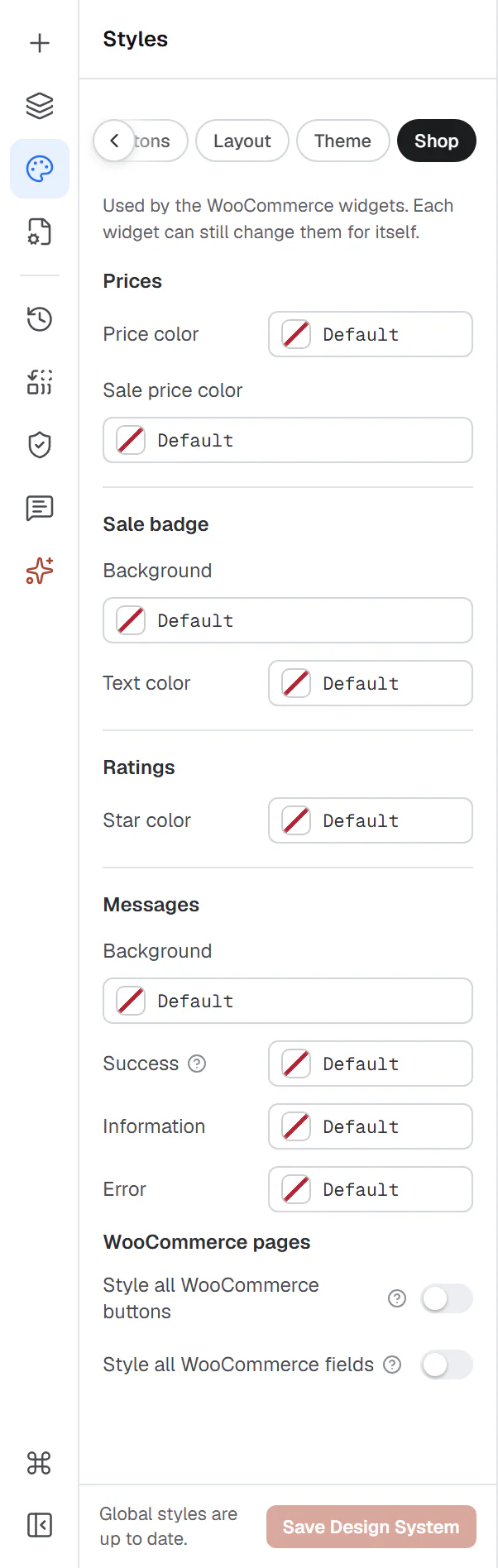
As the note at the top of the tab says, each widget can still change these colors for itself in its Design tab. Empty fields keep the widgets' own defaults.
Shop colors
| Setting | What it does |
|---|---|
| Prices › Price color | The color of prices: in Product Price, product cards and the add to cart form. |
| Prices › Sale price color | The color of the sale price, next to the crossed-out regular price. |
| Sale badge › Background | The background of sale badges: the Sale Badge widget, the badge of Product Images and the badges in product cards. |
| Sale badge › Text color | The text color of sale badges. |
| Ratings › Star color | The color of the filled rating stars, in Product Rating, product cards and reviews. |
| Messages › Background | The background of WooCommerce messages, in Woo Notices and inside the other WooCommerce widgets. |
| Messages › Success | Line and icon of "added to your cart" and other confirmations. |
| Messages › Information | Line and icon of information messages, such as the coupon prompt. |
| Messages › Error | Line and icon of errors, such as a missing option or a declined payment. |
Left empty, prices use your Headings color, sale badges and information messages your Primary color, message boxes your Surface color, stars amber, success messages green and errors red. Use your brand colors from Site colors in the color picker, so the shop follows a later rebrand. See Colors.
WooCommerce pages
Uncoder's WooCommerce widgets always use your Design System buttons and fields. These two switches extend them to WooCommerce's own output elsewhere:
| Setting | What it does |
|---|---|
| Style all WooCommerce buttons | Buttons WooCommerce prints outside Uncoder widgets (classic shop pages, blocks, extensions) take the Design System button style too. See Buttons. |
| Style all WooCommerce fields | The same for checkout, account and address form fields. |
Turn them on when some WooCommerce pages are not built with Uncoder, for example a cart or checkout made with WooCommerce's blocks, so they match the rest of the site.