Custom CSS & attributes
Add an anchor ID, CSS classes, HTML attributes and custom CSS to one element.
On this page
When the settings do not cover what you need, you can add your own code to a single element: an anchor ID to link to it, CSS classes, HTML attributes, and custom CSS. You find these in the Behaviour tab, in Anchor & classes and Attributes & CSS.
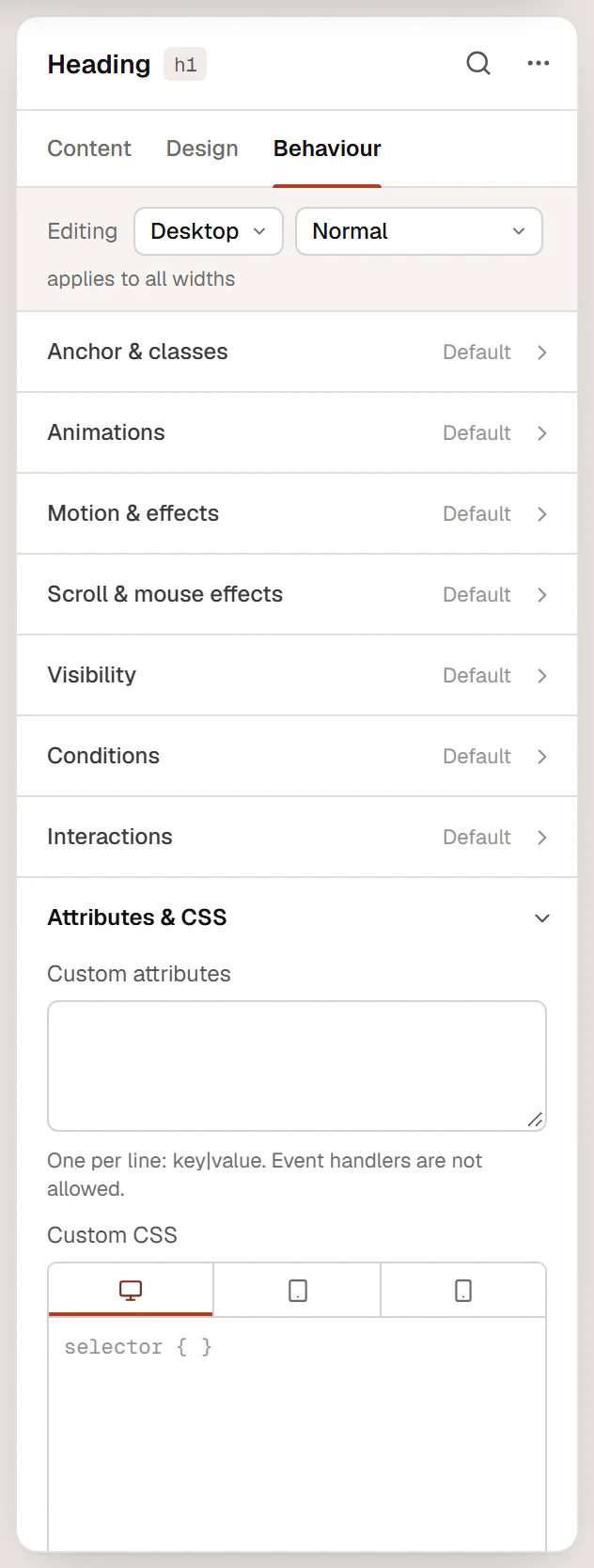
Anchor ID: link to a section
To link to a section of a page, for example from a menu item or a button:
- Select the section and open Behaviour → Anchor & classes.
- Type an Anchor ID, for example
contact(letters, numbers and hyphens, no#). - Link to it with
#contacton the same page, or/your-page/#contactfrom other pages.
With Smooth scrolling on in the Design System, the page glides to the section and stops below a sticky header. Elements have no ID unless you set one here, and each ID must be unique on the page.
CSS classes
CSS classes in Anchor & classes adds your own class names, separated by spaces, for example my-card is-featured. Use them to target the element from site-wide custom CSS or from scripts.
Every element already has two classes you can use: uncoder-{type} (for example uncoder-heading) and uncoder-{id} with its unique ID.
These are plain class names. To share a style between elements without writing CSS, use classes in the Design tab instead.
Custom attributes
Custom attributes in Attributes & CSS adds HTML attributes to the element, one per line, as key|value:
Event handlers such as onclick are not allowed. Links have their own Custom attributes option in the link settings (the gear next to a link field).
Custom CSS
Custom CSS applies CSS to this element only. Write selector where you mean the element:
selector {
  backdrop-filter: saturate(1.4);
}
selector:hover {
  opacity: 0.8;
}
selector a {
  text-underline-offset: 4px;
}
The device tabs above the field add CSS for that screen size and smaller: CSS in the Tablet tab applies to tablets and phones, CSS in the desktop tab applies everywhere. The canvas shows the result as you type.
Custom CSS is saved only for users who may add code to the site (administrators, by default). For other roles it is removed when the page is saved.
Try the settings first: states, transforms, filters and design variables cover most needs and stay editable for people who do not write CSS. Keep custom CSS for the last few details.
CSS for a whole page or the whole site
- One page: Page CSS in the page settings.
- The whole site: a Custom CSS snippet in Uncoder → Settings → Custom code. See Custom code.
Your Design System colors and sizes are CSS variables you can use anywhere, such as var(--uncoder-c-primary). See Colors.